In today’s fast-paced business world, sending prompt, polished, and accurate quotations to your clients can make all the difference between closing a deal and losing it. Whether you are running a business, freelancing, or managing corporate procurement, generating invoices and price estimates shouldn’t take hours.
That’s why we built the Smart Custom Mapper & Price Auto-Splitter (Multi-Currency Quotation Calculator)—a simple, fast, and completely free online tool designed to help you create professional commercial quotations in just a few clicks.
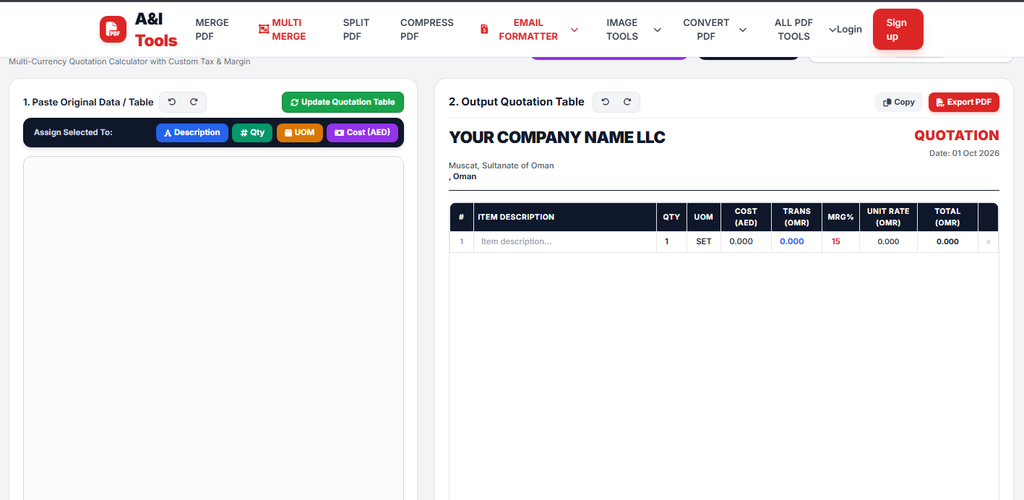
Why Use Our Universal Quotation Generator?
Creating manual quotations in standard spreadsheet software often leads to layout errors, missing item lines, or dynamic calculation mistakes. Our tool solves all these problems with an intuitive, clean layout and powerful automation features.
Here is what makes it unique:
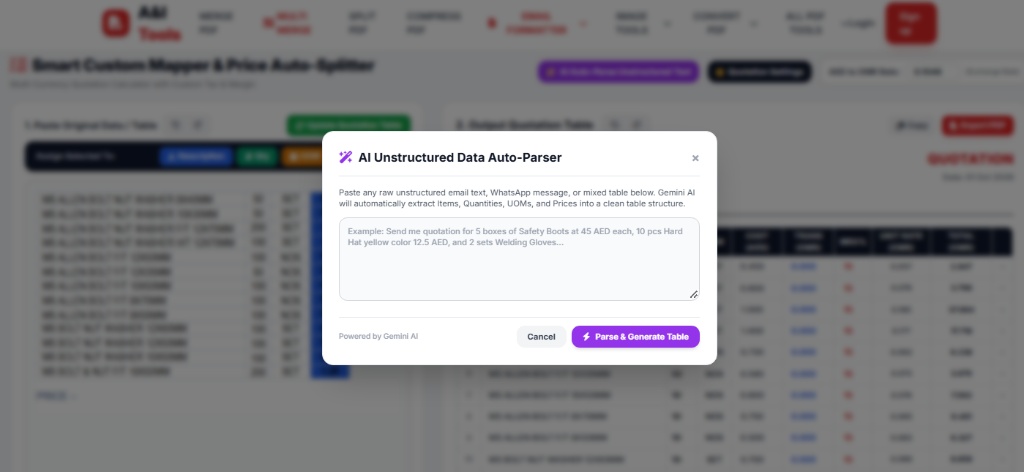
- AI Auto-Parse & Smart Mapper: Paste raw, unstructured product data or tables directly and assign columns (Description, Qty, UOM, Cost) effortlessly.
- Multi-Currency Conversion: Built-in real-time exchange rates (e.g., AED to OMR conversion) for seamless international and Gulf regional business
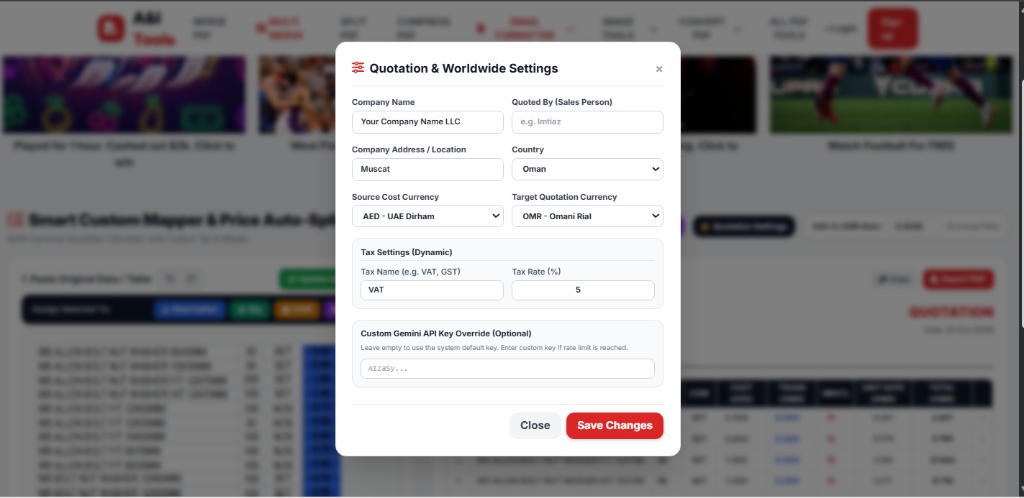
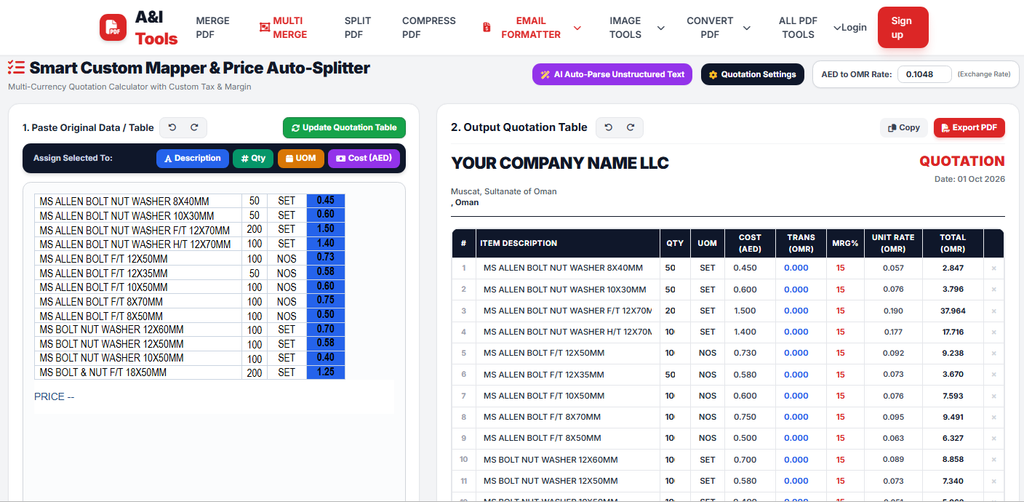
- Automatic Profit Margin Calculation: Set custom profit margins (MRG%) to instantly calculate exact unit rates and line totals.
- Instant PDF Export & Print: One-click output to export a sleek, print-ready PDF quotation or invoice.
- 100% Mobile & Desktop Friendly: Works smoothly across all screen sizes without installation or sign-up.
Who Is This Tool Built For?
Our Universal Quotation Tool is engineered to serve a wide range of professionals:
- Small & Medium Enterprises (SMEs): Easily issue official commercial estimates to prospective buyers.
- Sales Coordinators & Procurement Managers: Speed up daily commercial communications and supplier quotation conversions.
- Traders & Wholesalers: Convert raw cost sheets from suppliers into customer-facing quotations with automatic markup.
- Freelancers & Service Providers: Send cost breakdowns for IT, data management, or technical services in seconds.
How to Create a Quotation in 3 Simple Steps
- Paste Raw Data: Paste your items, quantities, and cost prices into the mapper box.
- Assign & Convert: Select your columns, set the profit margin percentage, and apply the exchange rate if converting currencies.
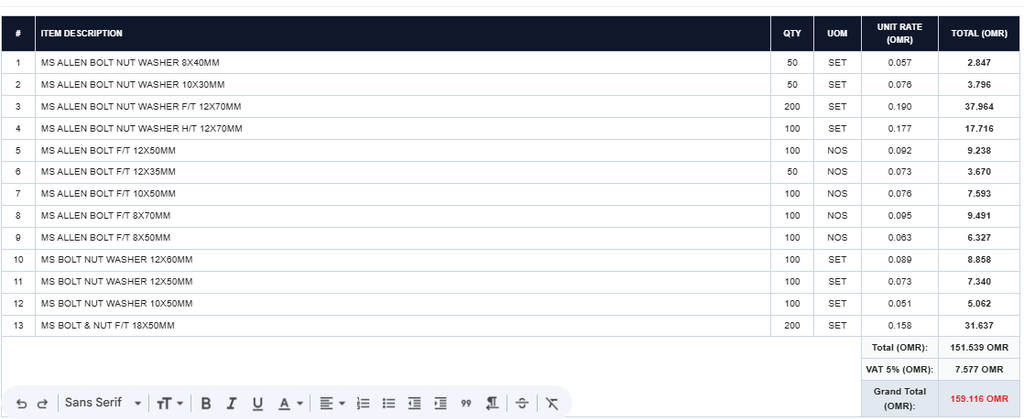
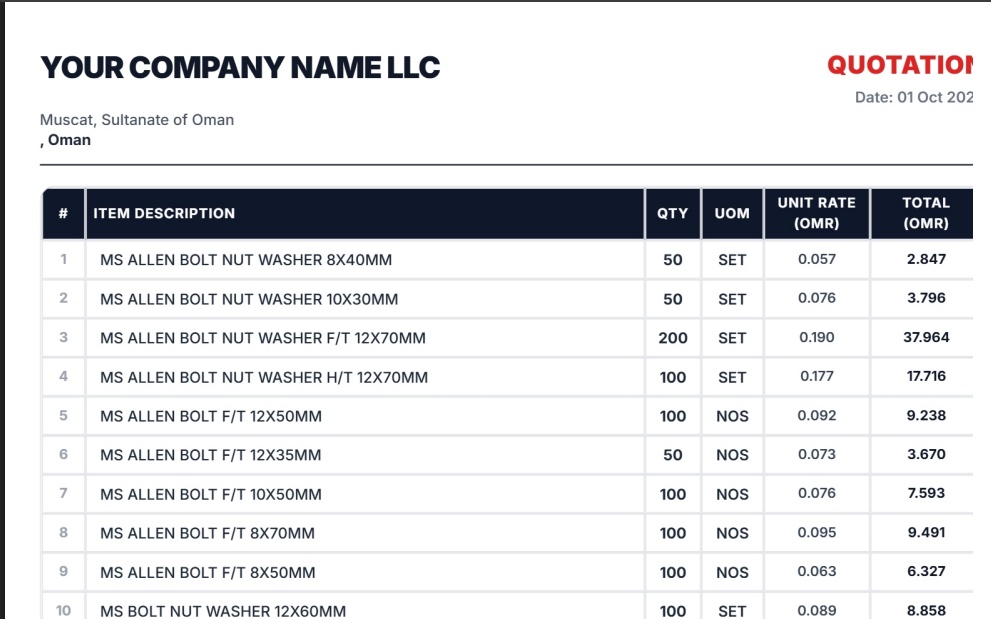
- Export PDF: Review the auto-generated quotation table on the right and click Export PDF to save and send!
Streamline Your Business Workflow Today!
Ready to upgrade your quoting workflow and impress your clients with professional documents?